

See the poster on your own wall.
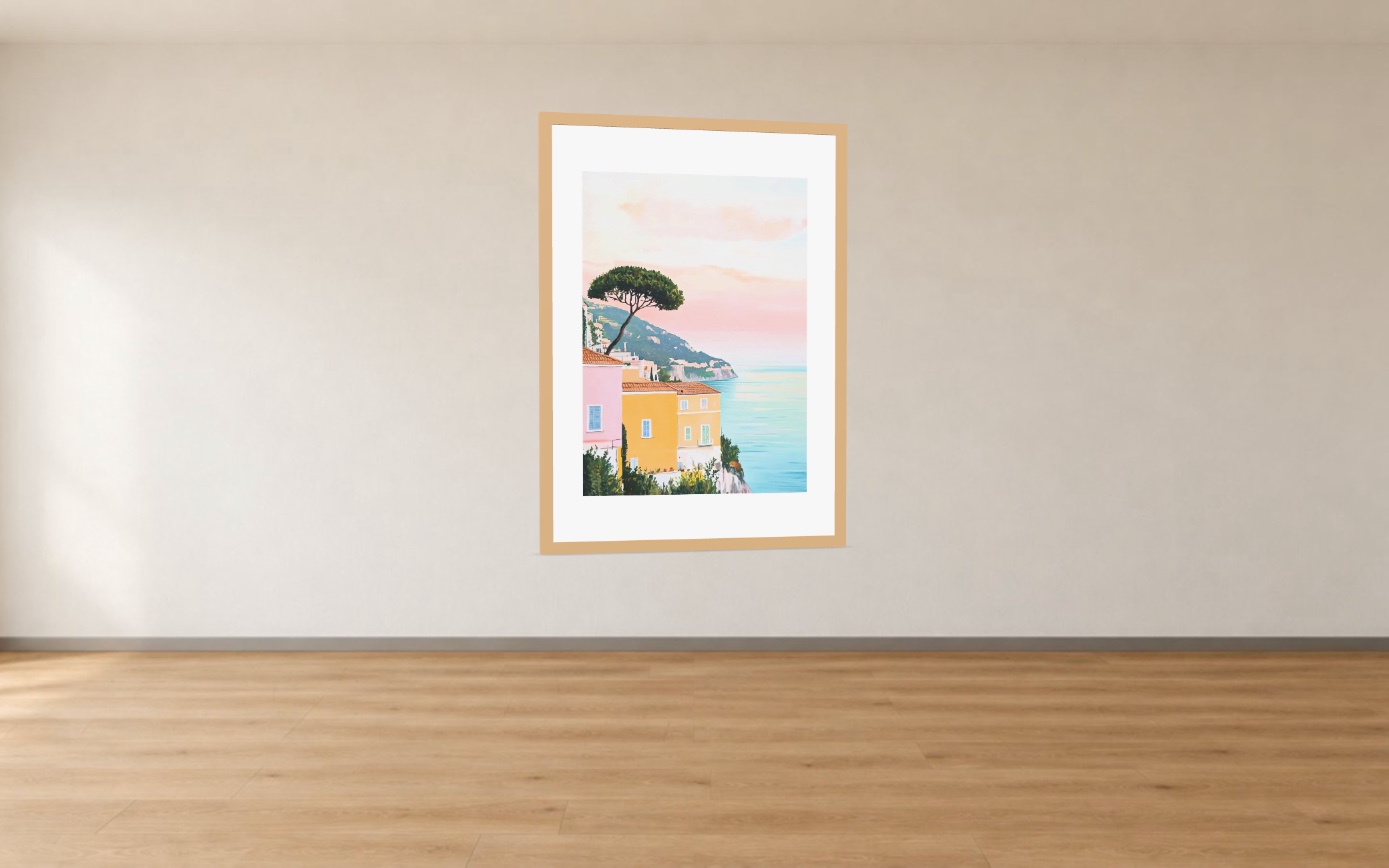
Customers point their phone at the wall and see your poster hanging there, in its real size and frame, before they buy. No 3D files: the app builds the model from your product picture.
On their own wall
Point the phone, see the poster hang
Customers tap “View on your wall” on the product page and the poster appears on their wall in the size and frame they picked. On a computer they turn it in 3D and scan a QR code to open it on the phone.
- Switch size and frame inside the AR view
- Add to cart straight from the AR view
- A QR code takes computer visitors to their phone
On your product page
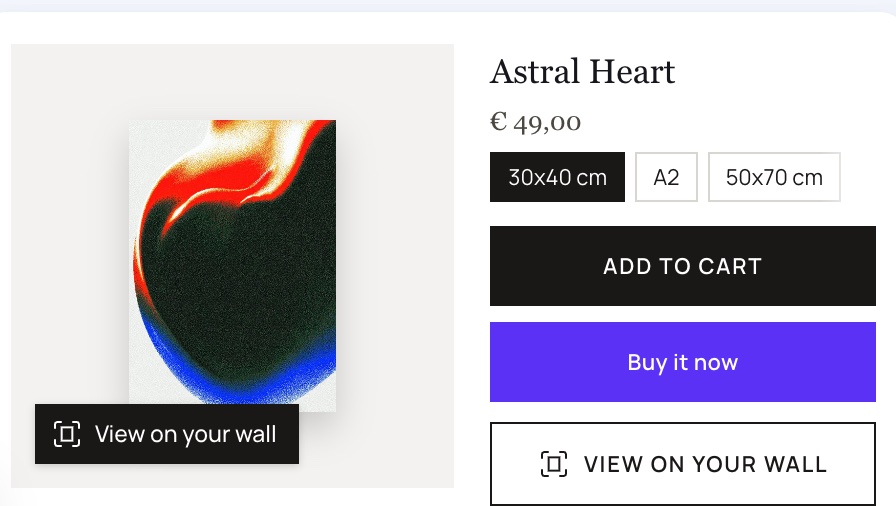
Two quiet buttons in your theme's style
One button sits on the product picture, one under “Add to cart” in the font and height of your cart button. You switch them on with one click in the theme editor; no theme code changes.
- Choose the corner, style and position
- Your own texts and colours
- Switching the embed off removes everything
Five minutes to live
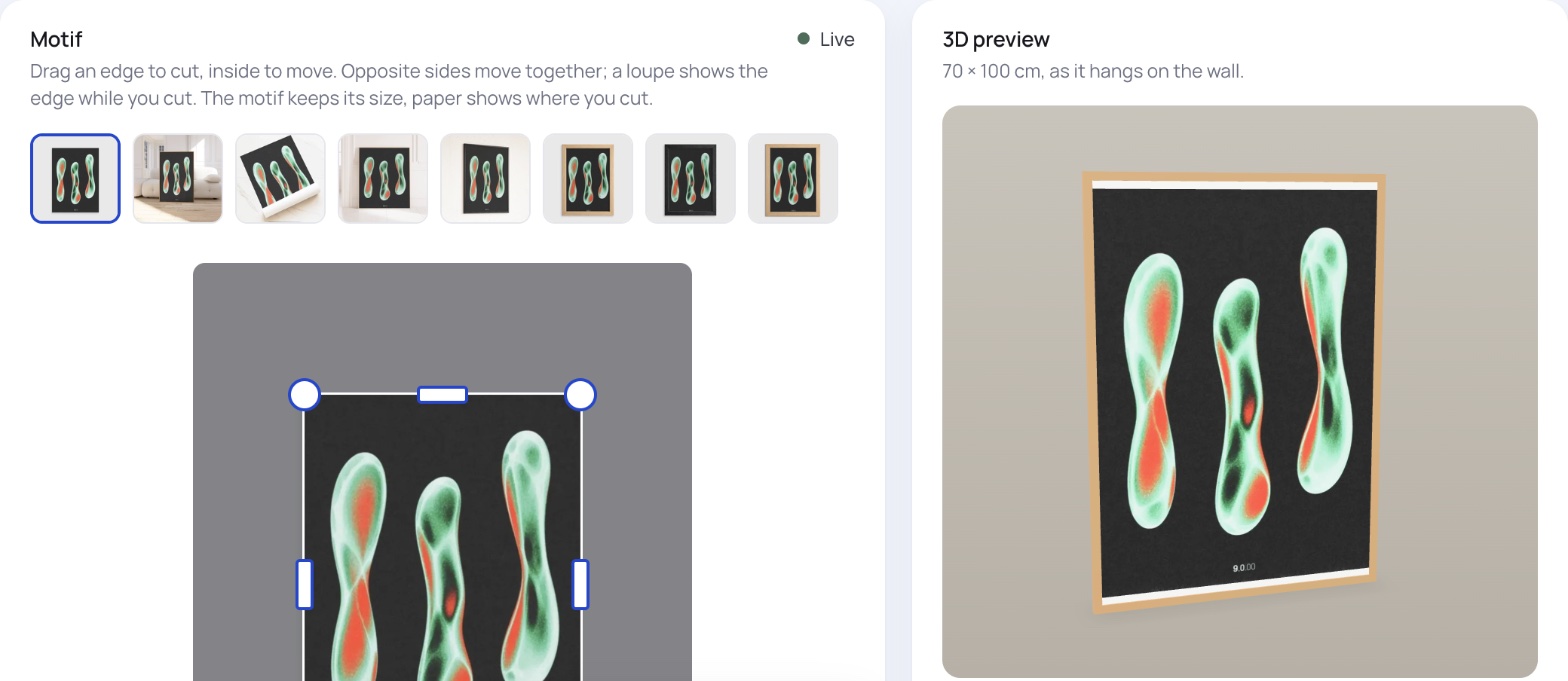
The app finds the poster in your picture
Setup reads sizes and frames from your variants and finds the print in your first product picture. Move the cut by hand whenever you like and check the result in 3D right next to it.
- Motif found and cut automatically
- Sizes and frame options from your variants
- A 3D preview next to every product
How it works
Three steps to posters on real walls
Install
Add Mercurio: Poster & Art in AR from the Shopify App Store. Start free or try any plan for 14 days.
Check the setup
The app finds the poster in each product picture and reads sizes and frames. Check each product in 3D.
Switch on
One click in the theme editor turns the buttons on. Customers see your posters on their own walls.

Ready to show posters on real walls?
Mercurio: Poster & Art in AR is coming to the Shopify App Store. Write to us and we'll show it in your store.