

From paid order to key in the inbox.
Sell game keys, software licences and gift cards. Create the products from Steam, IGDB or a template, add keys for every variant, and when an order is paid the app sends the keys from your own mailbox, in your own design, and fulfils the order.
Products in one go
From Steam or IGDB to a product
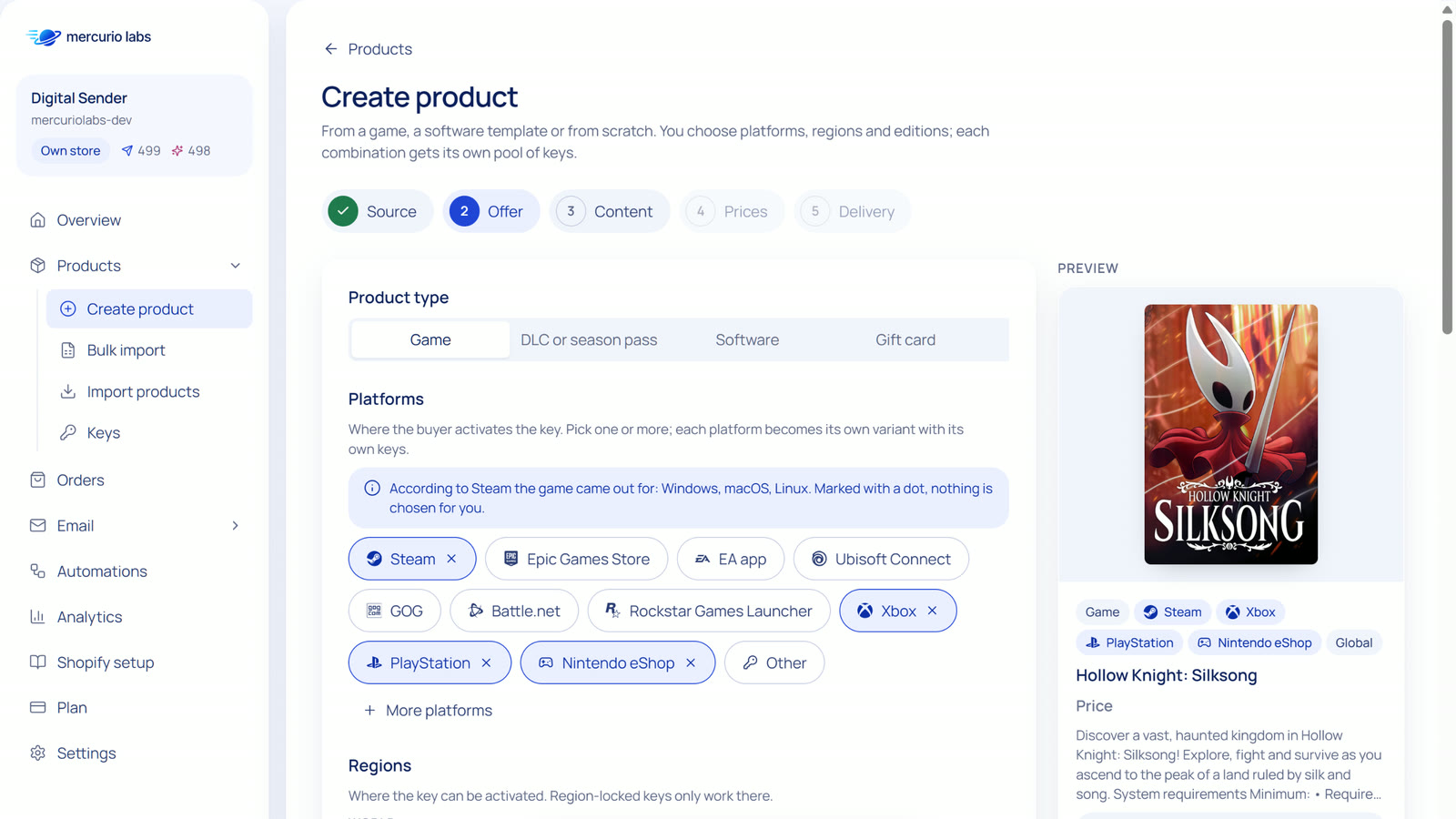
Search a game on Steam or in IGDB, or start from a template for Windows, Office, antivirus or gift cards. Pick platforms, regions and editions: each combination becomes a variant with its own pool of keys. If you like, the AI writes description and SEO texts in your store's language.
- Cover, screenshots, languages and release date come from the source; the AI adds no facts of its own
- Platforms with their logos: Steam, Epic Games Store, EA app, Ubisoft Connect, GOG, Battle.net, Xbox, PlayStation, Nintendo eShop and more
- Steam needs no key; IGDB works with your own access
Keys and stock
A pool of keys for every variant
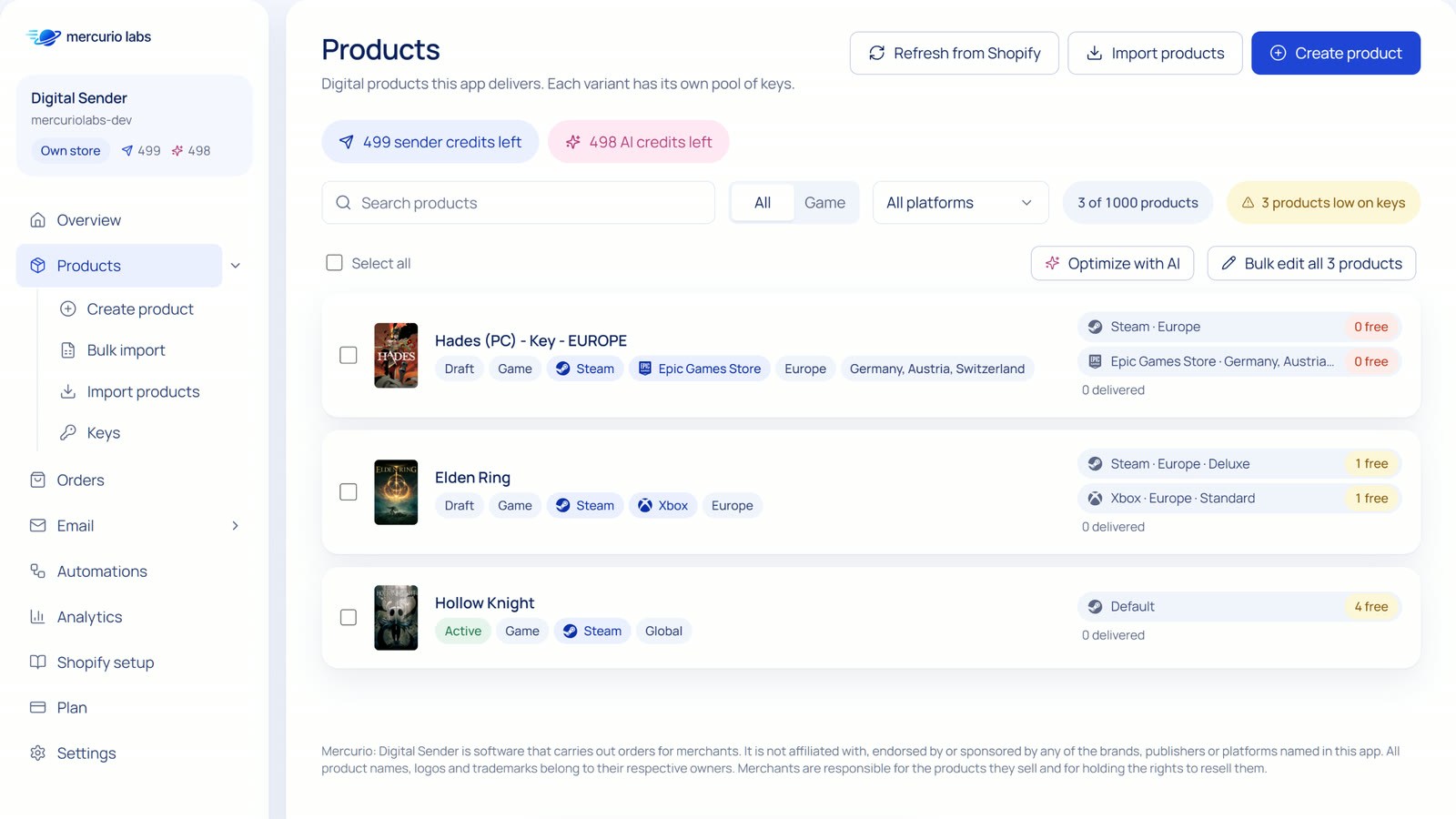
Paste keys or upload a CSV for each variant. The app catches duplicates, stores the keys encrypted and keeps the stock in Shopify in step with the keys that are left. Products that run low are marked, and you can get an email before they run out.
- Import many products and their keys at once from a CSV
- Pre-orders wait until the release date, then the keys go out
- Refunded orders: the key is withdrawn and marked in the app
Delivery
Keys from your own mailbox
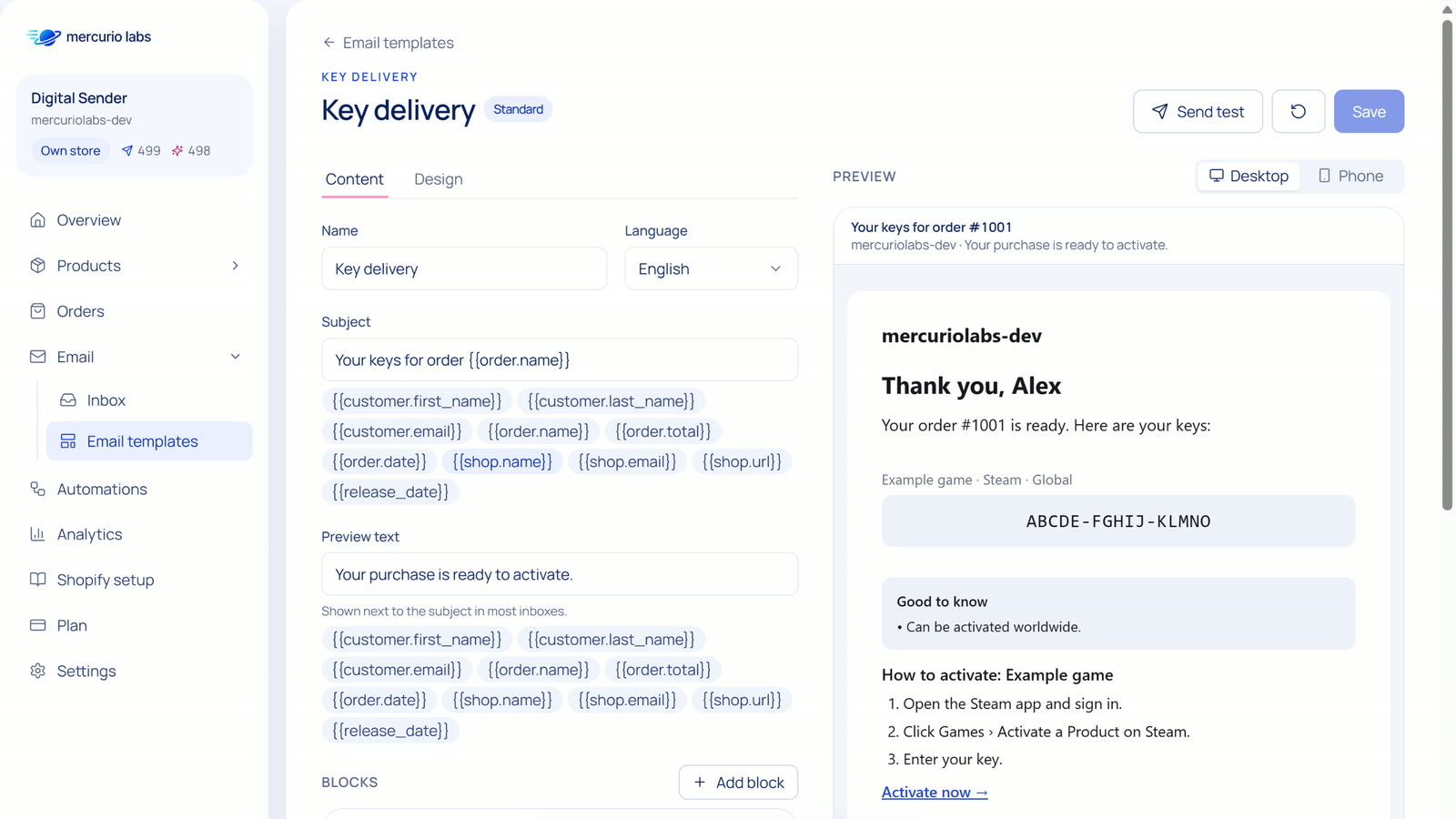
When an order is paid, the app reserves the keys, sends them from your mailbox in your email design, and fulfils the order in Shopify without a shipping email. If sending fails, it tries again by itself. Each delivered order uses one sender credit.
- Your mailbox by SMTP, or a sending service like Resend, Brevo, Postmark or SendGrid
- Email designer with blocks, placeholders, activation steps for each platform and a preview for computer and phone
- Fraud checks hold risky orders for your review; an inbox in the app sorts customer replies, refunds and bounces
Bulk edit
Many products, one table
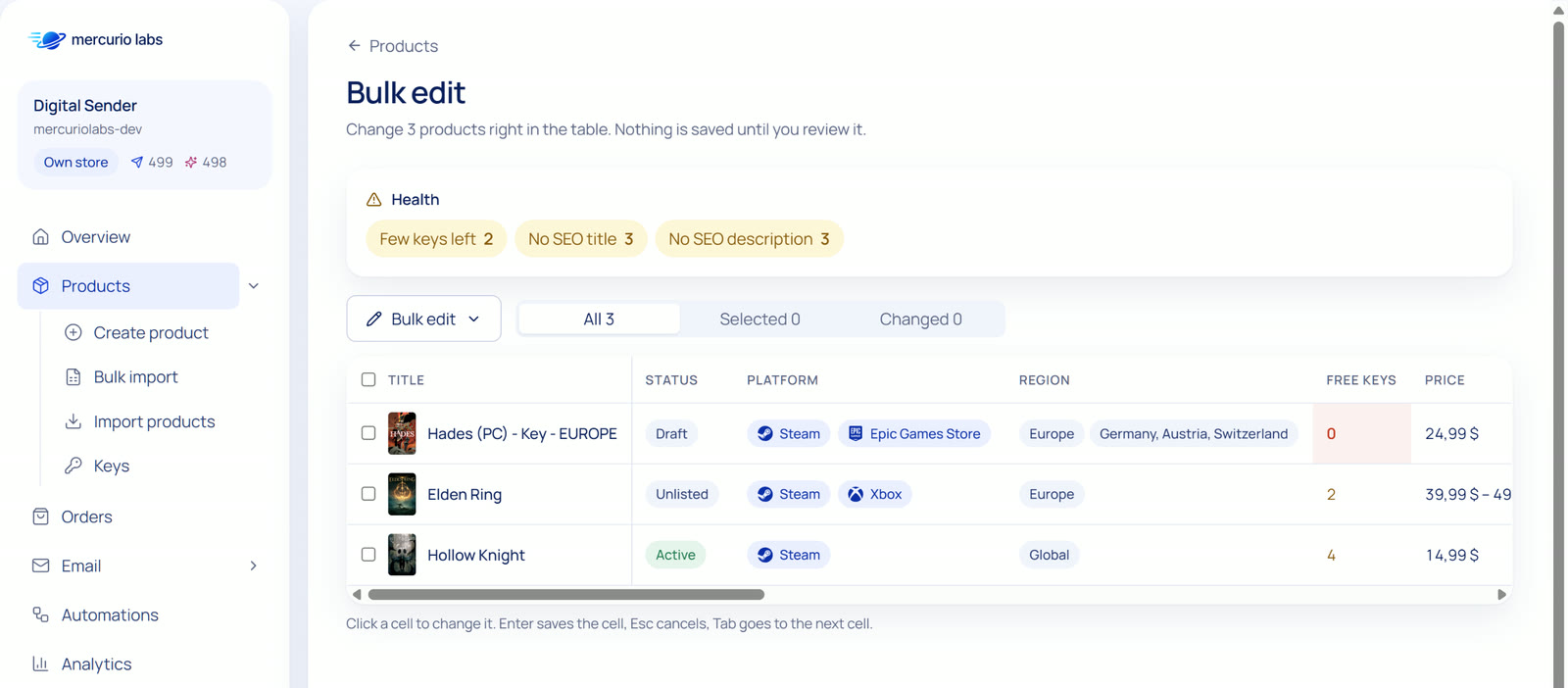
Change titles, SEO, prices, tags, platforms, regions and delivery settings of many products right in a table. Hints mark products without keys, with few keys left or without SEO texts. Optimize with AI fills only the fields that are missing, for one AI credit per product.
- Nothing is saved until you review the changes
- The old values of each product are kept before every save
- SKUs from a pattern like
{handle}-{platform}-{region}
On your product page
Key details your customers look for
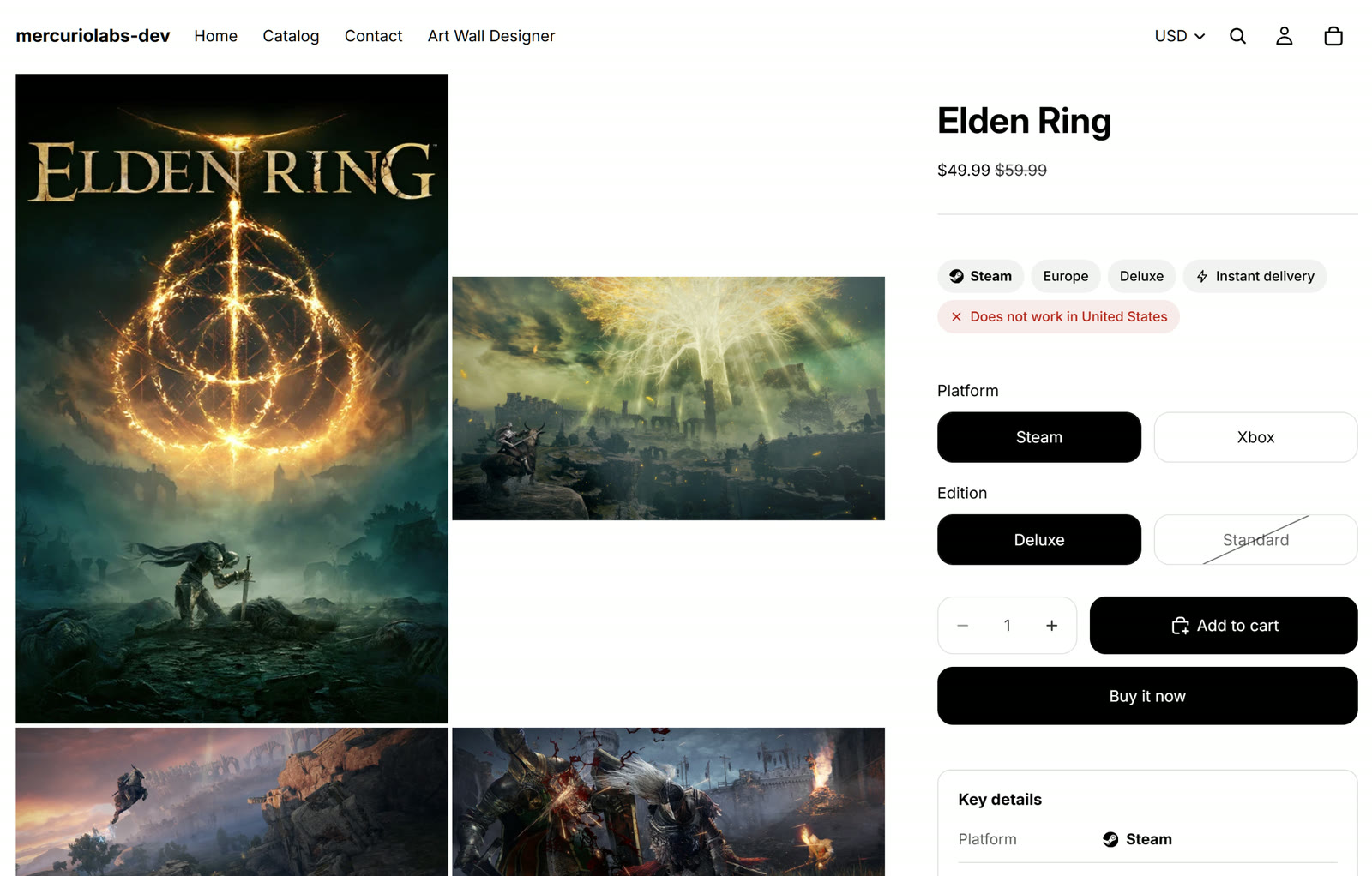
Two app blocks for your theme show platform, region, edition and instant delivery, warn when the key does not work in the visitor's country, and list languages, system, release date and the steps to activate. They change with the variant the customer picks.
- Tested with Horizon and Dawn
- Each part on or off, with style, corners and accent colour in the theme editor
- Texts in your store's language, in eight languages
Mercurio: Digital Sender is not affiliated with, endorsed by or sponsored by any of the brands, publishers or platforms named on this page. All product names, logos and trademarks belong to their owners. Game pictures in the screenshots belong to their publishers.
How it works
Three steps to your first delivery
Install
Add Mercurio: Digital Sender from the Shopify App Store. Start free with 20 deliveries, or try a paid plan for 14 days.
Connect your mailbox
Add your mailbox once and send yourself a test. Adjust the key email in the designer if you like.
Add products and keys
Create a product from Steam, IGDB or a template and add its keys. From the next paid order on, the app delivers.

Ready to send your first keys?
Mercurio: Digital Sender is coming to the Shopify App Store. Read how it works, or write to us and we'll show it in your store.