
From print file to finished listing.
Upload your motifs. The app puts each one into a set of up to eight mockups, can write title, description, SEO, alt texts and tags in your store's style, and creates the product as a draft with your sizes, frames and prices.
Motifs in, drafts out
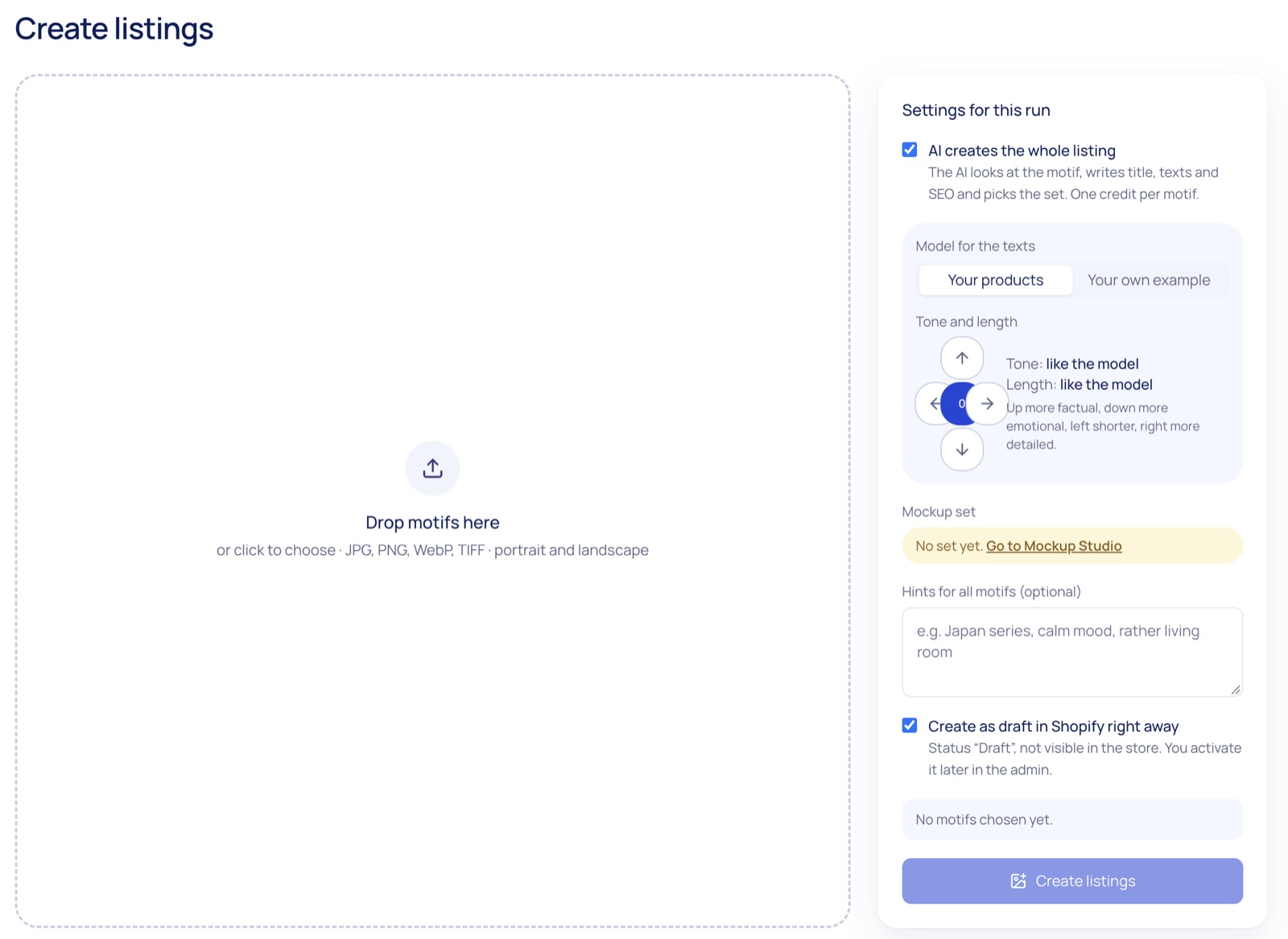
Drop your print files, get listings
Drop one motif or a whole series, portrait and landscape. For each one the app makes the mockups of your set and creates a draft product in Shopify with the variants and prices of your store. With AI on, it looks at the motif, writes the texts and picks the set that suits it.
- Title, description, SEO title and meta description, alt texts and tags, in your store's languages; how many depends on the plan
- Written like your products, or like an example you give; tone and length are yours to set
- Without AI, only the mockups are made and you fill in the texts yourself, at no credit
Mockup sets
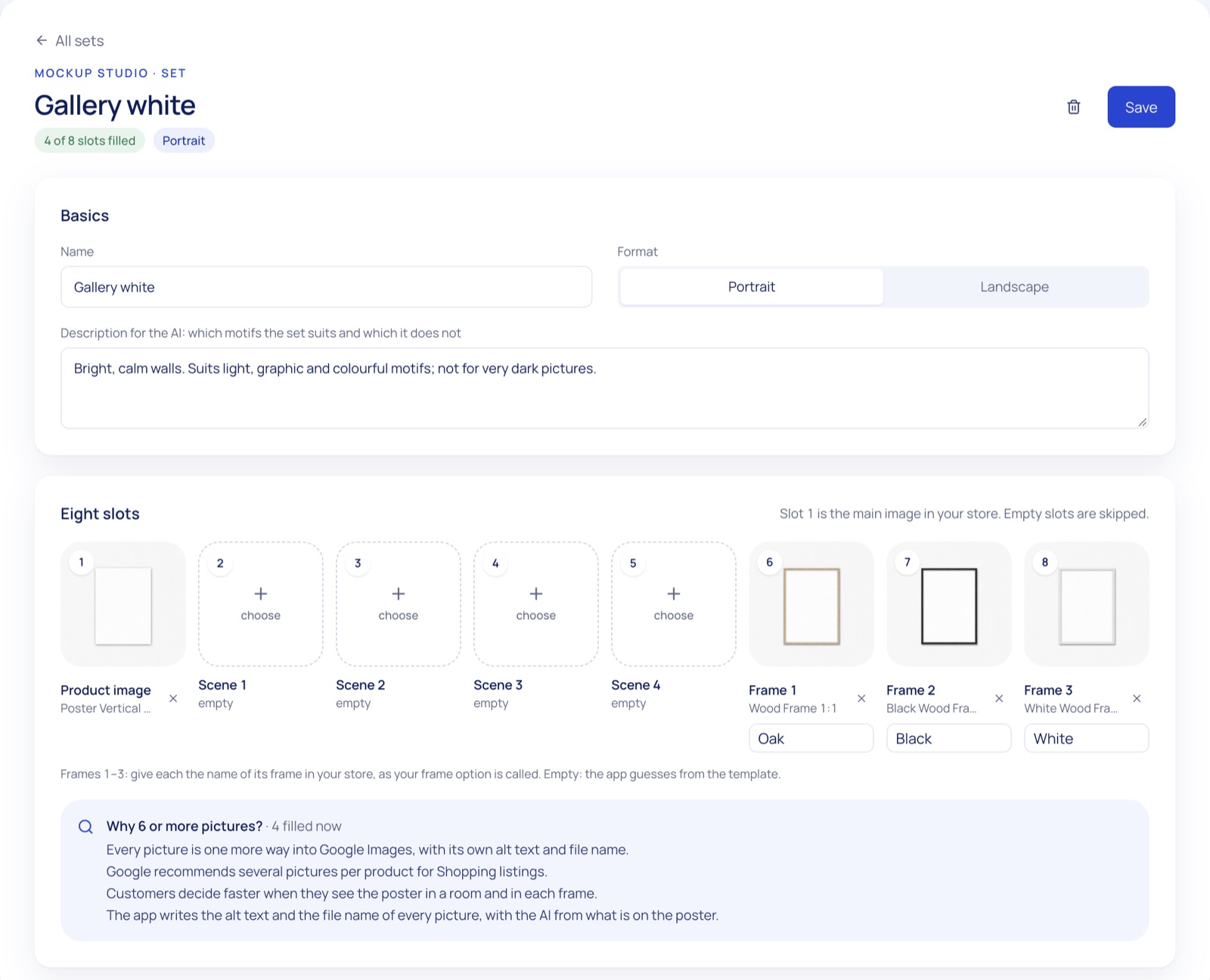
One set, eight pictures
A set holds the pictures of one listing: the product picture, four room scenes and up to three frames, each named like the frame option in your store. Start with the Mercurio templates or add your own, and keep a set for each look.
- Mercurio templates: the poster on its own and in wood, black and white frames, in portrait, landscape and square
- Your own templates as JPG or PNG, Photoshop files with a
Filllayer from Grow - One format and wall colour for all mockups:
1:1,4:5,3:4or4:3
Products you already sell
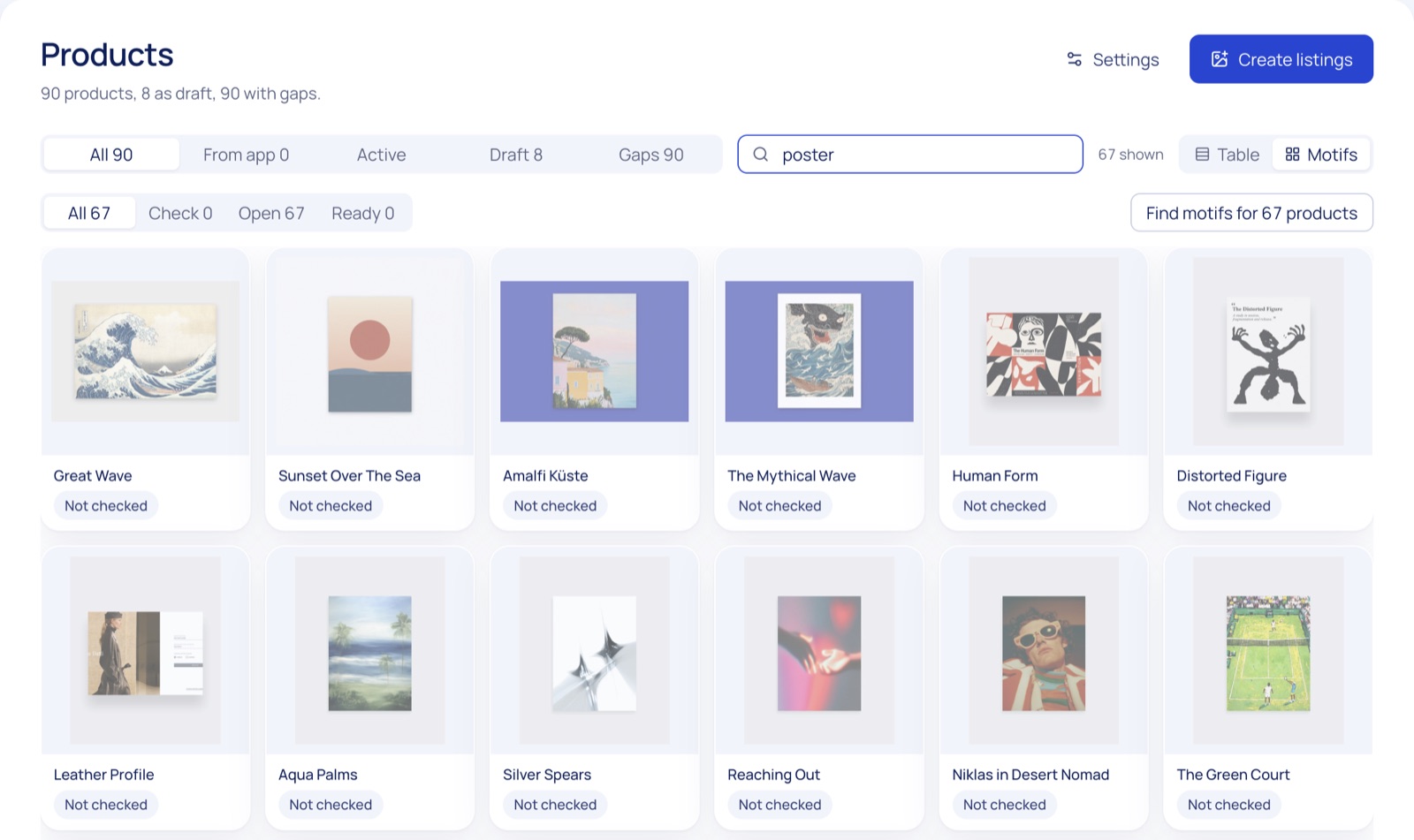
New mockups for your catalogue
Choose products in your store. The app cuts the motif from each first picture, you check the cut, and it makes new mockups with your set. The pictures are replaced only after you check them; texts, variants and prices stay as they are.
- The old pictures stay in Shopify under
Content › Files - Product by product on Starter, as a bulk run from Grow
- Change format or wall later and redo every mockup from the app in one go
On your product page
The picture follows the frame
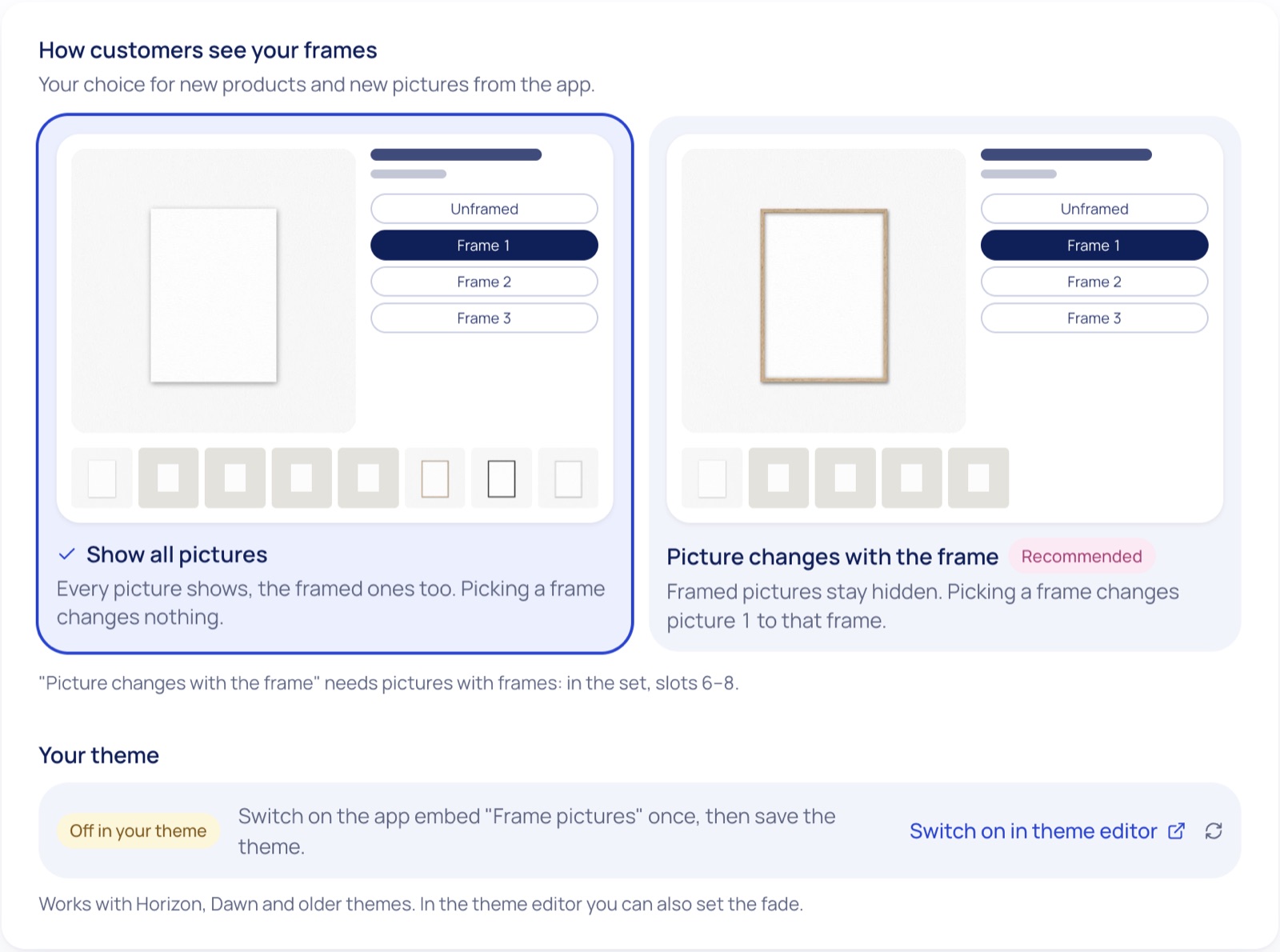
Sell posters with and without frames? When a customer picks a frame, picture 1 changes to that frame. The framed pictures stay out of the gallery until then. One app embed does it, without editing your theme.
- Works with Horizon, Dawn and older themes
- On or off per product, with a fade you set in the theme editor
- Mockups are made in your browser and saved to your Shopify Files, not on our servers
How it works
Three steps to finished listings
Install
Add Mercurio: Poster Mockup Studio from the Shopify App Store. Every plan starts with 14 days free and 10 AI credits.
Build a set
Pick up to eight templates once: Mercurio ones or your own. The app takes sizes, frames and prices from one of your products.
Drop motifs
The app makes the mockups and, if you like, the texts. Check the drafts and activate them in your Shopify admin.

Ready to list your next series?
Mercurio: Poster Mockup Studio is coming to the Shopify App Store. Read how it works, or write to us and we'll show it in your store.