
Every screen, one calm menu
Brightness, resolution, color and more for the built-in display and every monitor you connect, one card per display in your menu bar.
- macOS 14 or later
- Apple silicon
- One license per Mac
One-time purchase, no subscription. Final price: as a small business under Section 19 of the German VAT Act (UStG) we charge no VAT. The version from this website has every function. A Mac App Store version follows with fewer functions, because Apple does not allow some of them there.
One card per display
Brightness and resolution in view
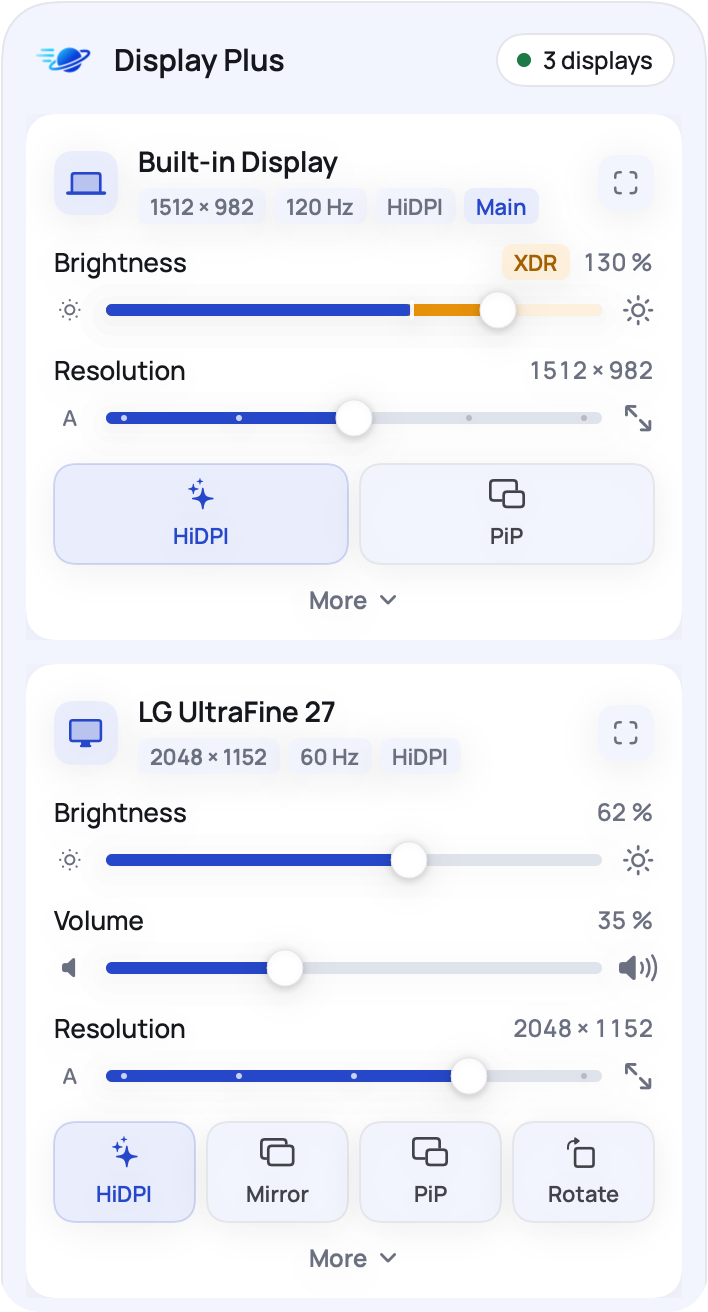
Click the symbol in the menu bar: every display has its own card with a large brightness slider, a resolution slider with steps and tiles for what this display can do. On XDR displays the slider can go past 100 %, and the extra range shows in a warm color.
- Brightness of external monitors over the cable, or dimming in software where a monitor does not allow it
- HiDPI on monitors where macOS does not offer it, for sharper text
- One card open at a time, details stay closed until you need them
Behind More
Every setting one click away
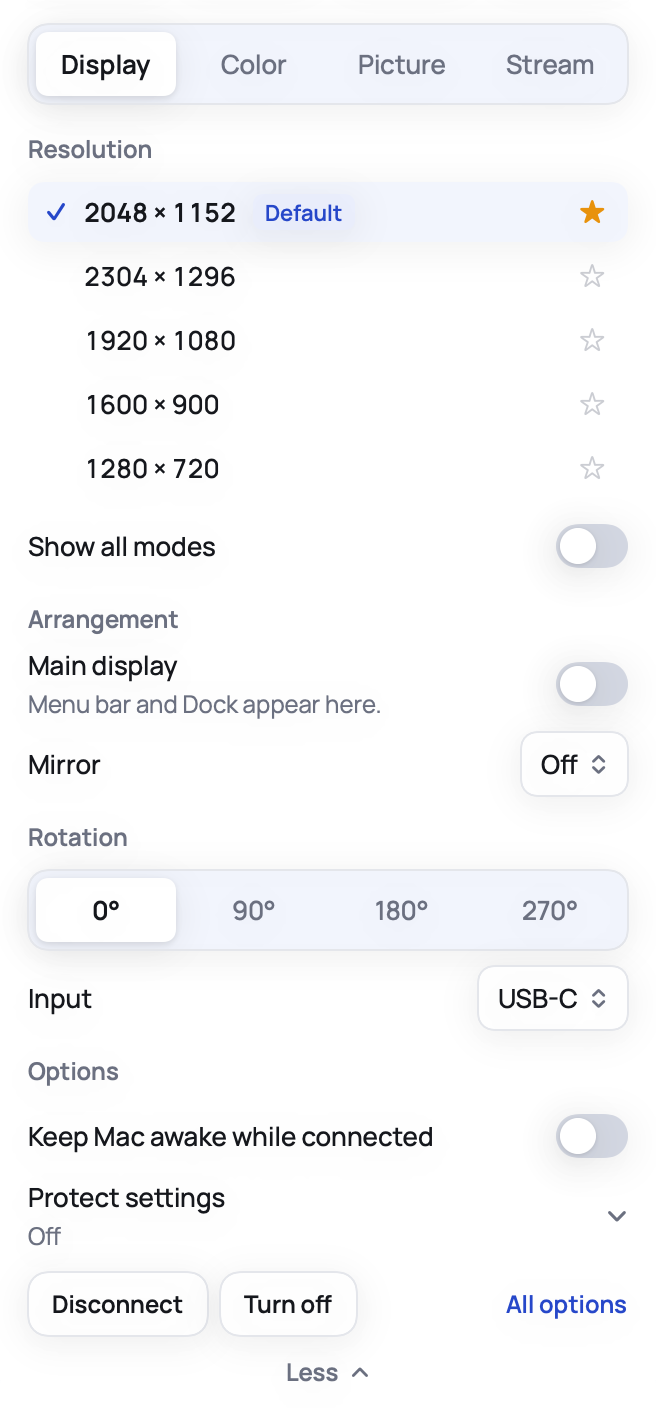
More opens four tabs for the display. Display lists every resolution with favorites, the main display, mirroring, rotation and the input. Color holds color profiles, invert and grayscale. Picture tunes the image, Stream shows the display in picture in picture.
- Star the resolutions you use most
- Protect settings puts resolution, color profile, mirroring and main display back when something else changes them
- Disconnect a display without pulling the cable
Picture
Tune each display's picture
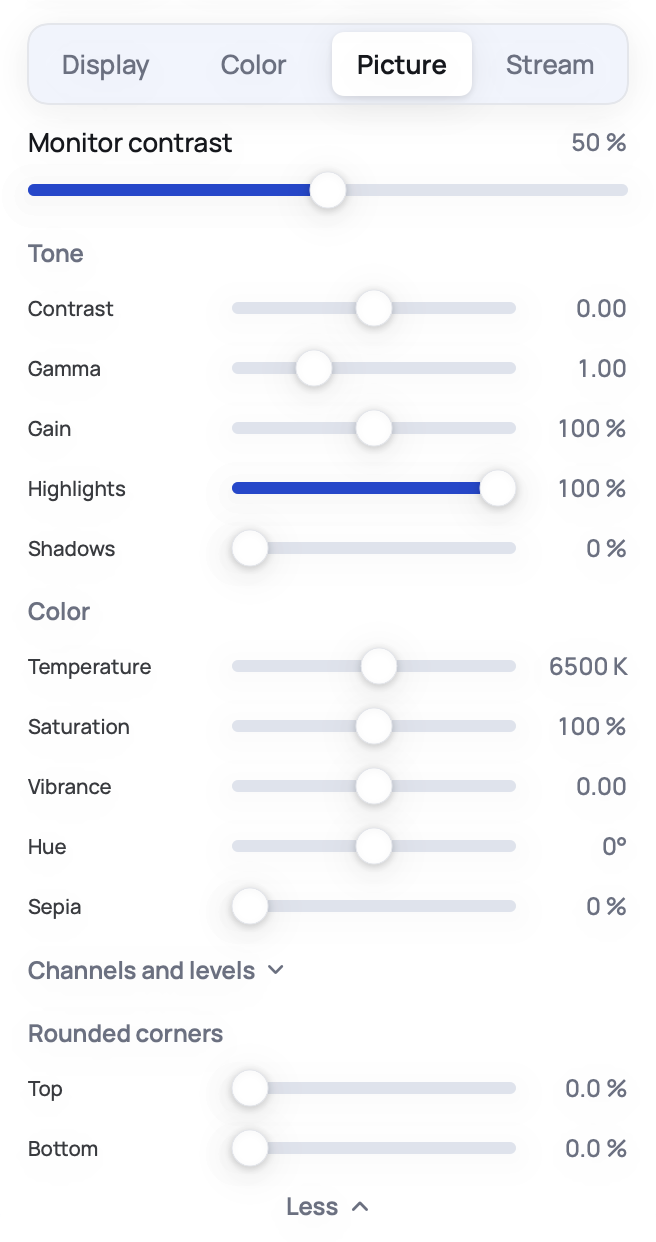
Set contrast, gamma, gain, highlights and shadows, color temperature, saturation, vibrance and hue per display, and round the corners at the top and bottom. Displays in a group share brightness and, if you like, the picture settings.
- Monitor contrast over the cable where the monitor supports it
- Channels and levels for red, green and blue
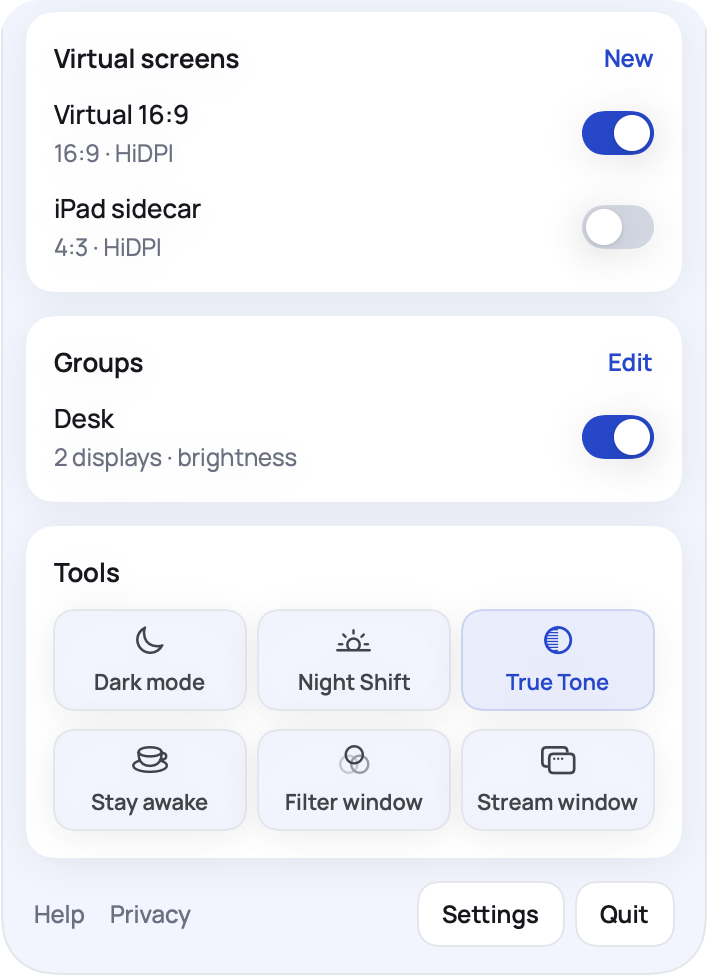
- Groups for desks with several monitors
Virtual screens and tools
Virtual screens, picture in picture
Create screens that exist only on your Mac, for example a 16:9 screen to share in a call or to record. Show a display or a single window in picture in picture, stream one display full screen on another, or place a filter window over anything. Tiles switch dark mode, Night Shift and True Tone and keep your Mac awake.
- Virtual screens with HiDPI, your own sizes and refresh rates
- Picture in picture with opacity, zoom, click through and color lookup tables (LUT)
- Links, a local web server and the command line for shortcuts and scripts
Keys and shortcuts
Your keys work everywhere
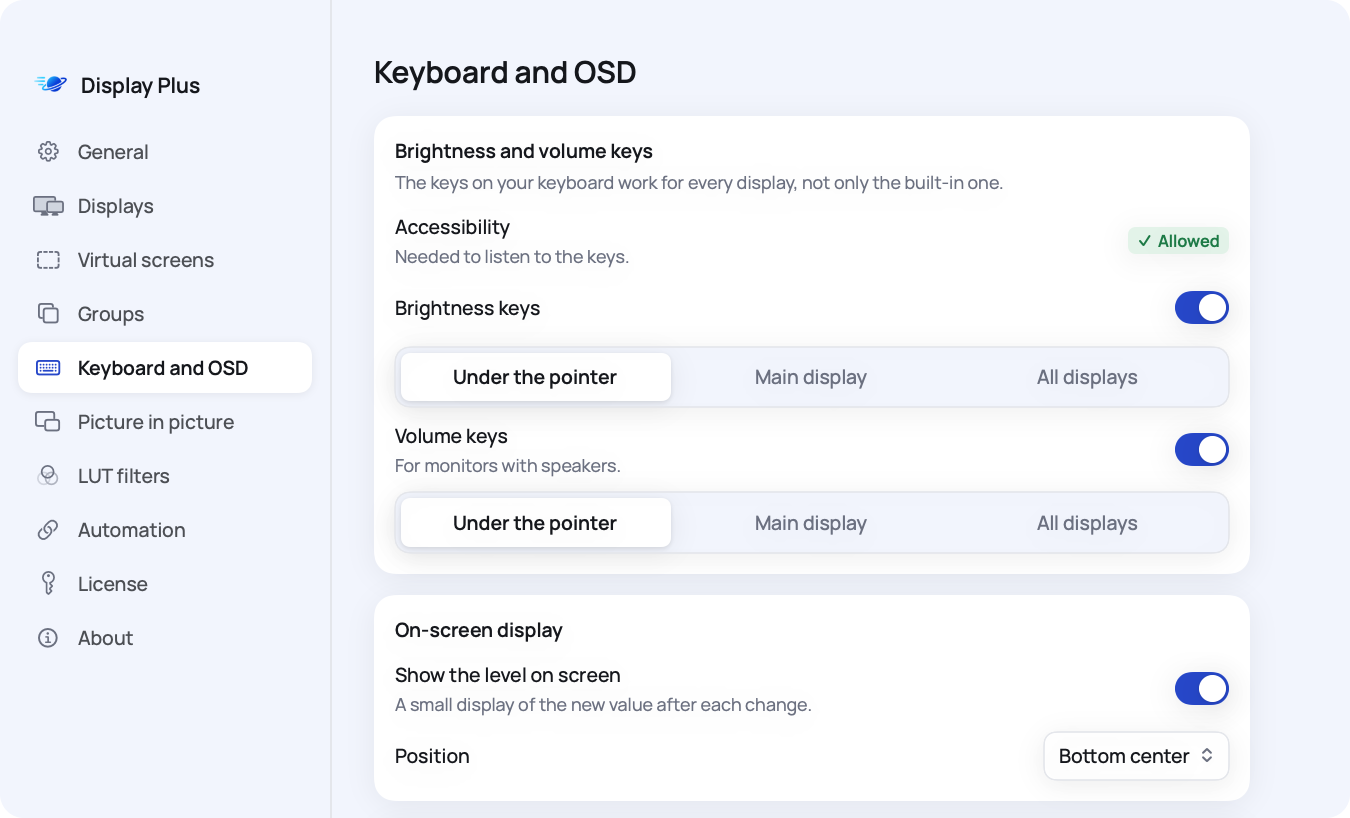
The brightness and volume keys of your keyboard change the display under the pointer, the main display or all displays, and a small level shows on screen. Shortcuts switch resolution, HiDPI, picture in picture, dark mode, Night Shift and the monitor's input.
- The keys need Accessibility, which you allow once
- Choose for each display whether the keys change it
- Opens at login and stays in the menu bar
Before you buy
What you need
Display Plus works with the built-in display, external monitors and virtual screens. What a display can do depends on the display and how it is connected, and each card shows only what works.
A Mac with Apple silicon
Any Mac with an M chip (M1 or later). Intel Macs are not supported.
macOS 14 Sonoma or later
Display Plus runs on macOS 14 and every later version.
Monitors that take commands
Brightness, volume and input over the cable need a monitor with DDC/CI. Some docks, adapters and TVs do not pass it on; then Display Plus dims in software instead.
How it works
From purchase to menu bar
Buy and download
Pay €17.99 with card, Apple Pay or Google Pay. The next page shows your license key and the download, and you get a receipt by email.
Open and activate
Move Display Plus to Applications and open it. Then click the symbol in the menu bar and paste your license key.
Set up your displays
Every display gets its card. Allow Accessibility for the keyboard keys and Screen Recording for picture in picture only when you use them.
Questions about licenses, permissions or a display that does not react: help and setup.
Mac, MacBook, macOS, Retina, XDR, Night Shift and True Tone are trademarks of Apple Inc. LG UltraFine is a trademark of LG Electronics. Display Plus is an independent app by Mercurio Labs and is not affiliated with or endorsed by Apple.

All your displays, one menu
One-time €17.99 for your Mac. Check what you need, then download right after payment.